RAYTUNER — Guitar Tuner
Find your pitch.
A quiet instrument panel for your iPhone: one large note, clear words, and a single steady needle.
Coming soon to the App Store
Tuning, made plain
-
A note you can read at a glance
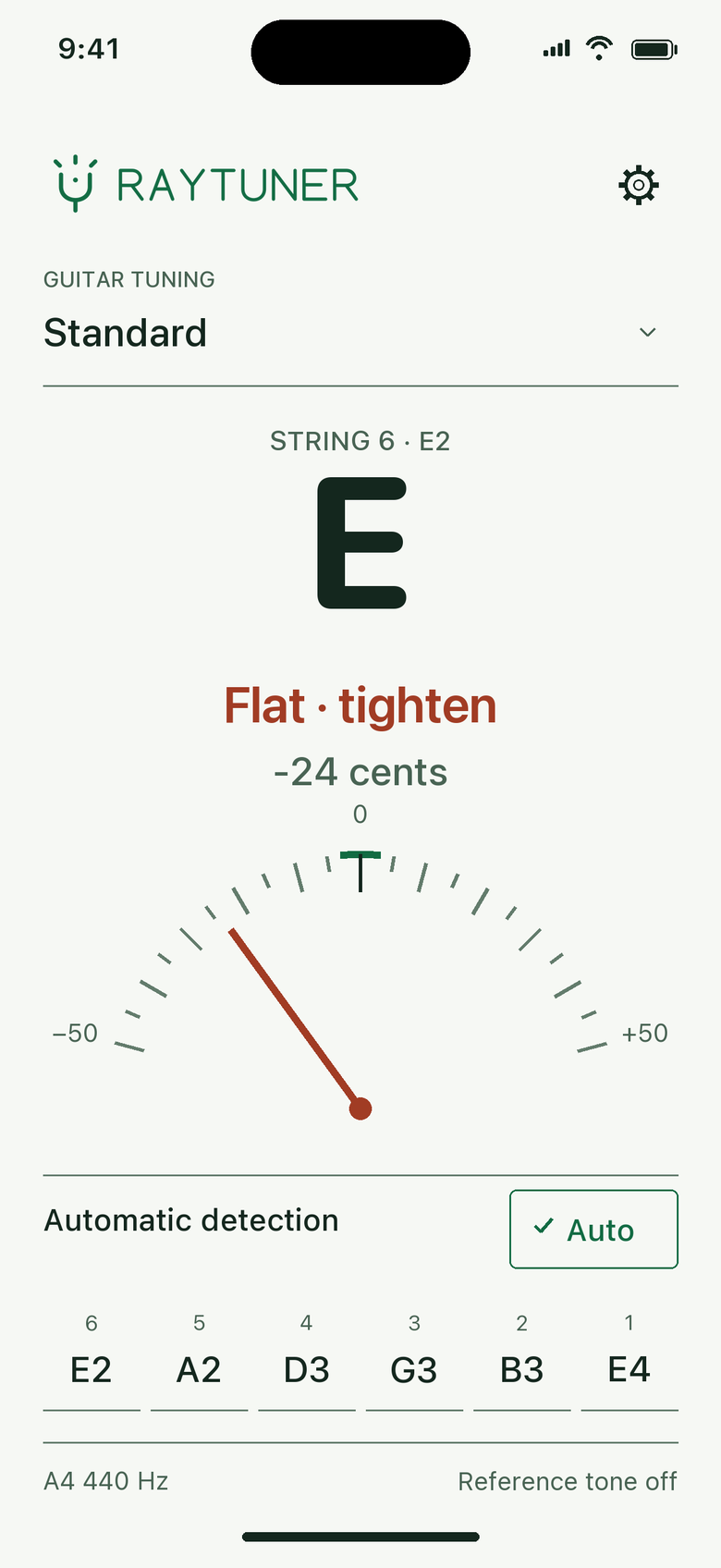
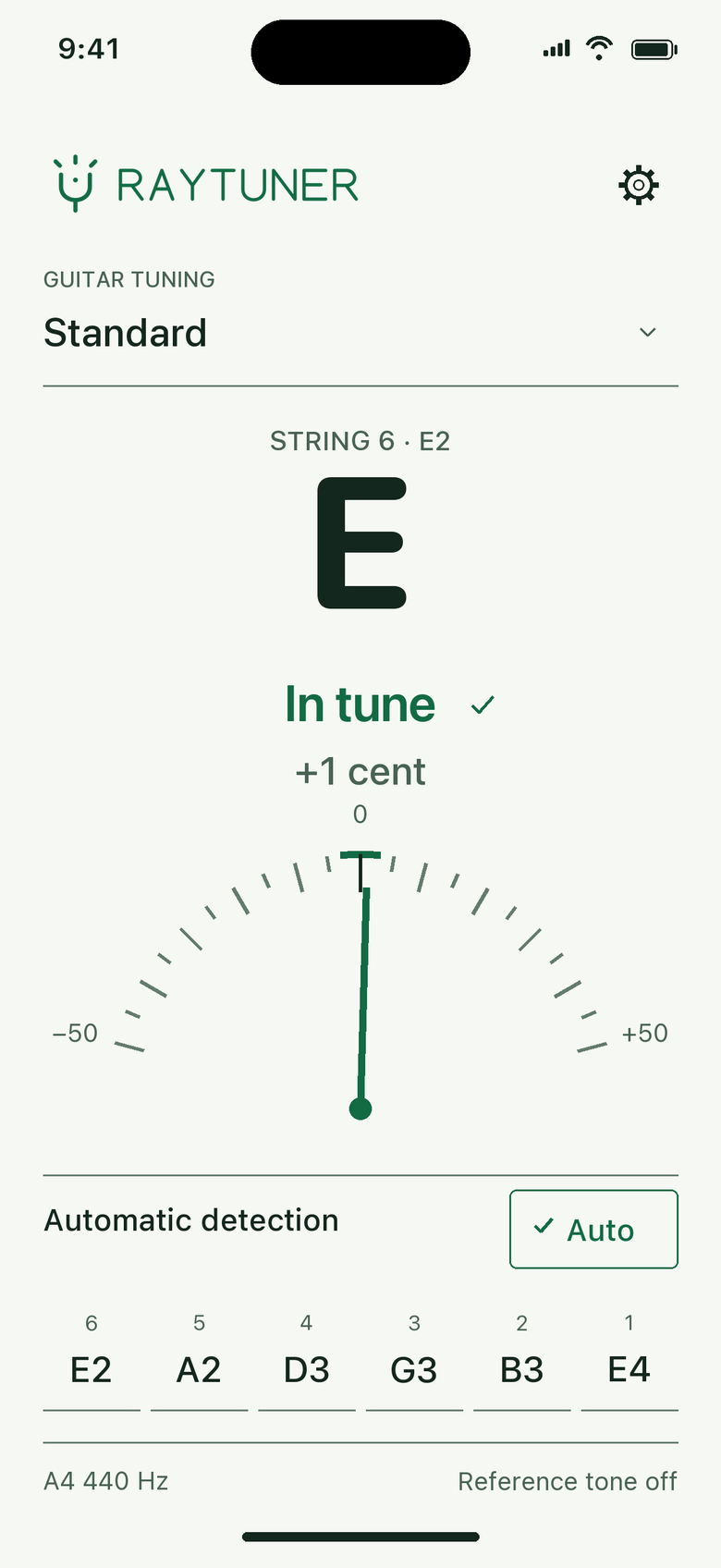
The detected note fills the screen. Explicit words tell you what to do, so color is never the only signal.
- Flat · tighten −24 cents
- In tune +1 cent
- Sharp · loosen +6 cents
-
A ±50 cent gauge
One stable needle shows how far you are from the target, with signed cents beneath the note. Left is flat, right is sharp.
-
Auto or a single string
Auto detects the string you play. Tap a string to lock onto it and tune to that target until you tap Auto again.
-
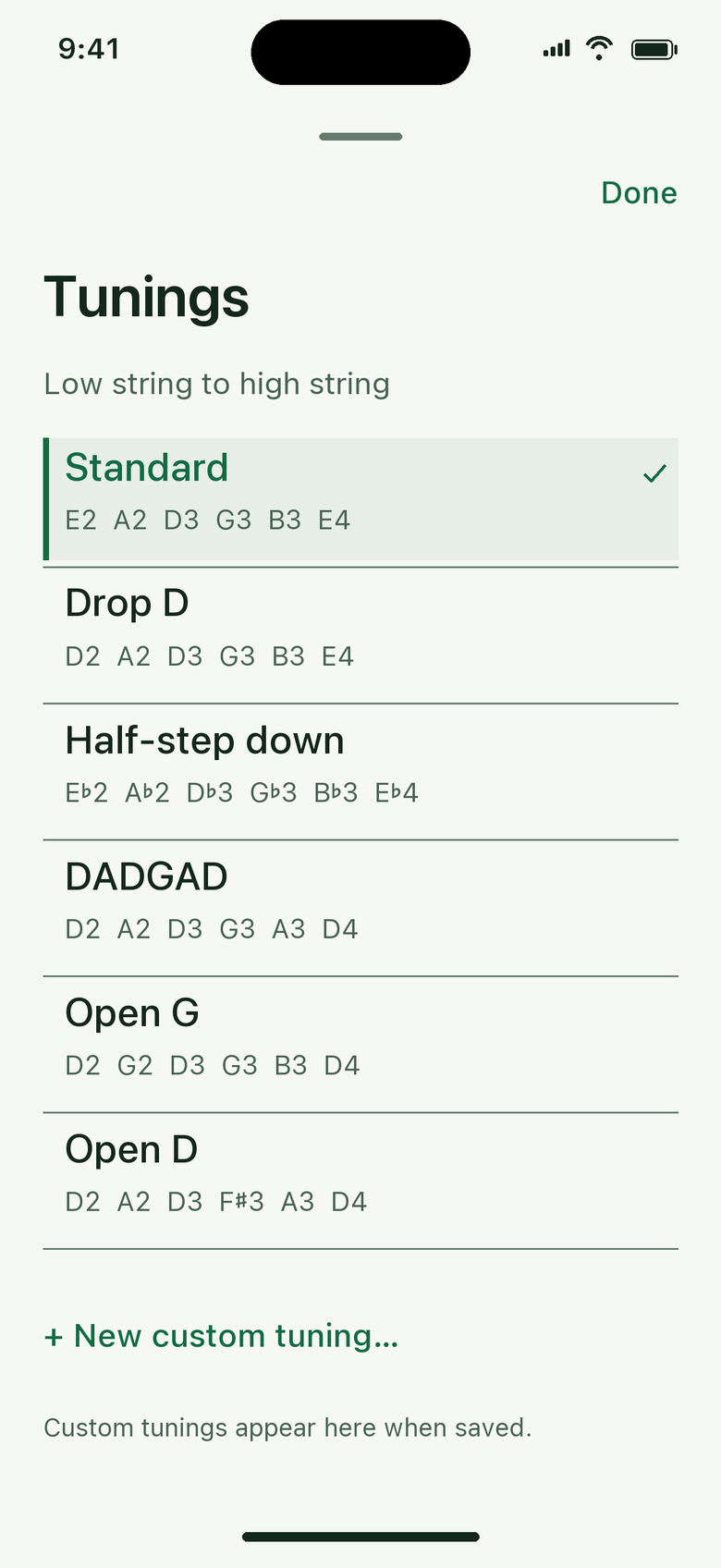
Six presets and Custom
Pick a tuning from the list, or save one Custom tuning of your own.
- Standard
- E2 A2 D3 G3 B3 E4
- Drop D
- D2 A2 D3 G3 B3 E4
- Half-step down
- E♭2 A♭2 D♭3 G♭3 B♭3 E♭4
- DADGAD
- D2 A2 D3 G3 A3 D4
- Open G
- D2 G2 D3 G3 B3 D4
- Open D
- D2 A2 D3 F♯3 A3 D4
-
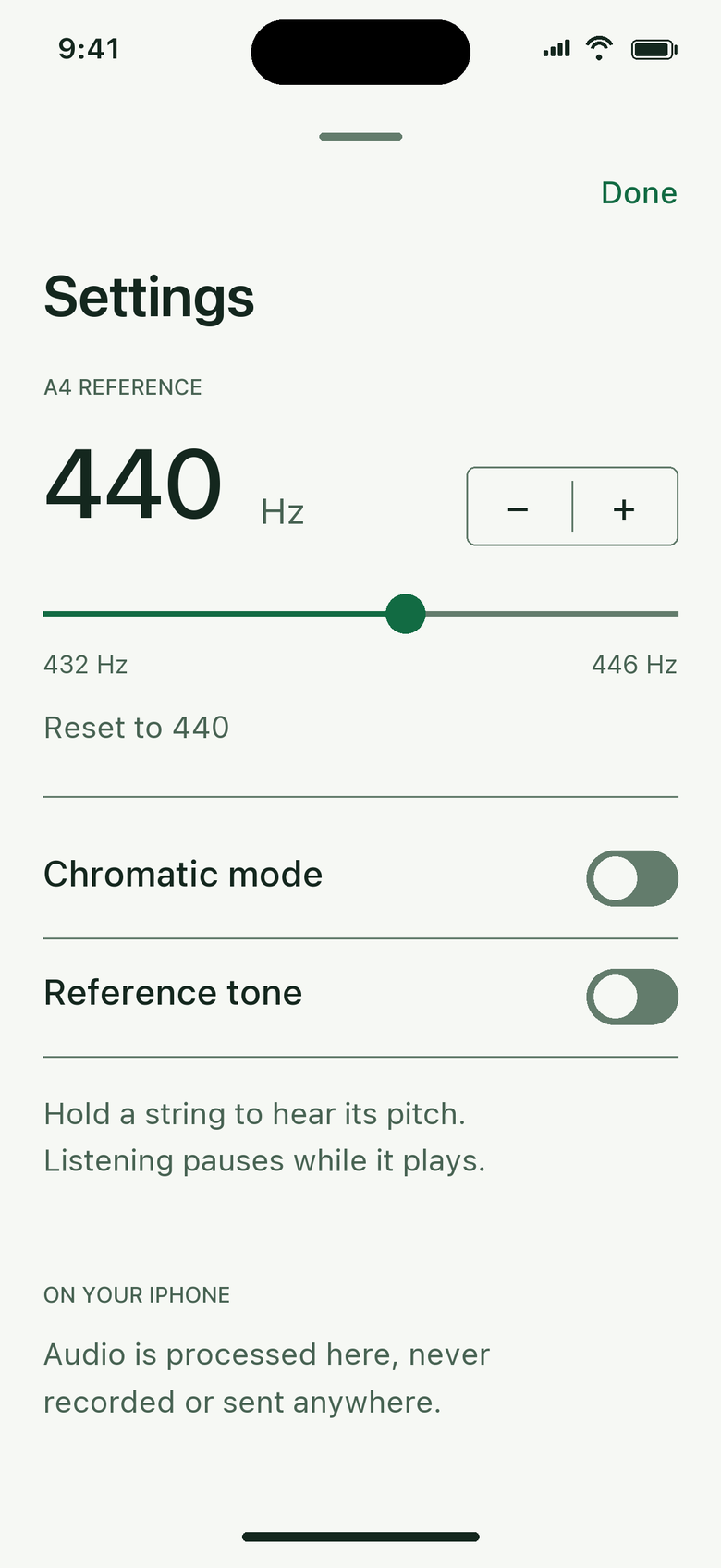
Adjustable A4 reference
Set A4 anywhere from 432 to 446 Hz in 1 Hz steps, with a slider and a stepper. Reset to 440 Hz in one tap.
-
Reference tone
Hear the selected string. Tuning pauses while the tone plays, and resumes when you turn it off.
-
Light and dark
Warm white by day, deep green at night. RAYTUNER follows your system appearance.
-
Built for everyone
VoiceOver reads one clear result, like “String 6, E2, flat by 24 cents, tighten.” Dynamic Type scales every label.
Design previews
Design illustrations of the app, not screenshots.